New “Intro” for Demo Reel

Somewhere in my mind I was inspired by the art work for a game called “Firewatch.” The artist who created it basically used 5 or 6 steps of colors, ranging from a dark orange-pink to a light orange-pink and I adored the simplicity of the idea. I thought, “Hey, I can probably animate something along those lines! Even make it into an intro for my demo reel!” I figured that since I was in a simplistic art style (not sure if it’s a phase yet, but I enjoy it) this would play nicely. Plus, I finally get back into using After Effects and expand a bit on my skills for that.

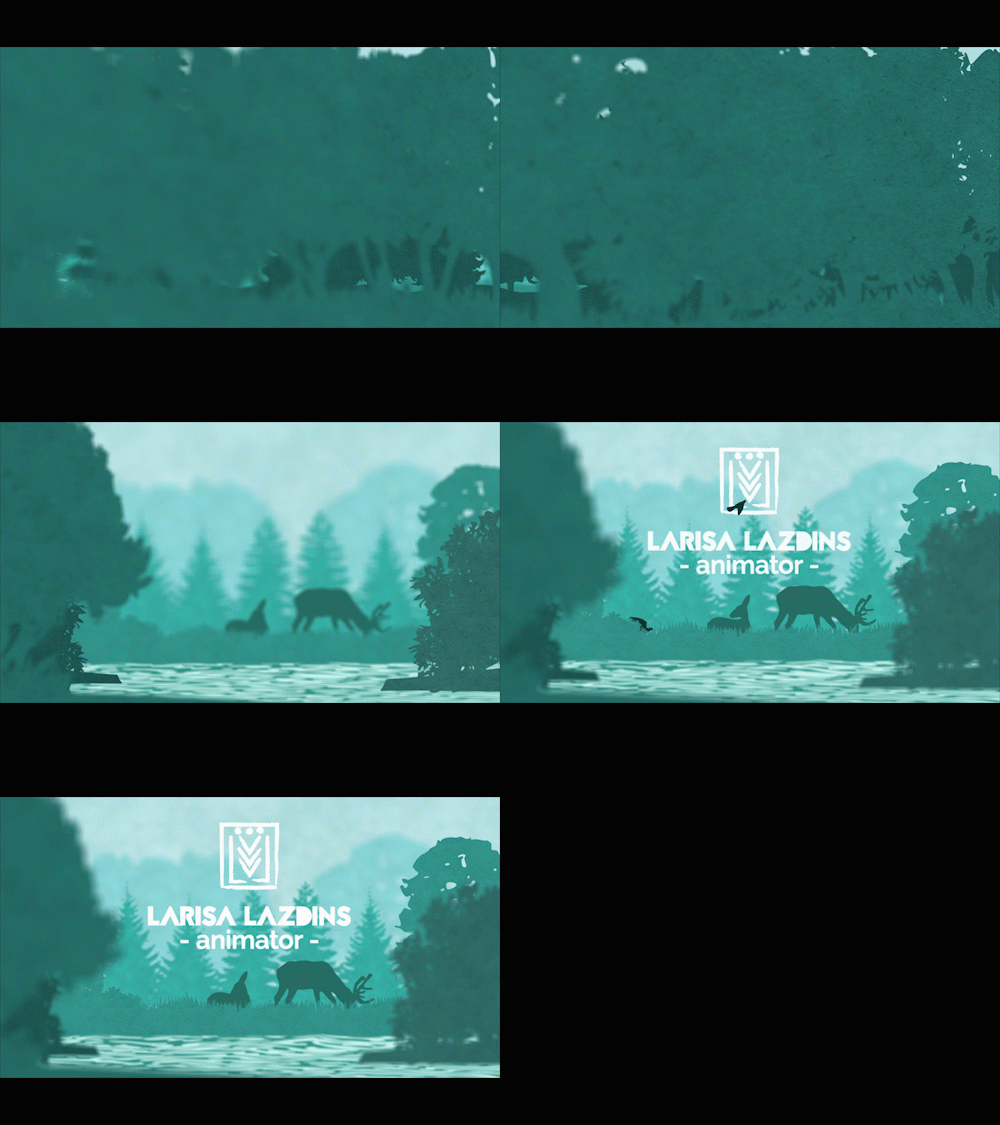
Assets were originally done/combined/colored based on how close I wanted that layer to the camera (dark for close, light for far) in Illustrator and then imported into After Effects. Each layer was made into a 3D layer and set back in steps of around 200 in most cases on the Z-axis. Layers were resized and re-positioned based on where I wanted them to end up based on the main focus point of the piece, which was a pair of deer and a few birds. I used a camera and animated it to get the feel that I wanted in terms of movement and focus.

At this point, there’s a bit of give and take in the process where I worked on multiple little parts at the same time. With the deer, I wanted to add some movement and really wanted to try to use AE’s puppet tools. Tried it and quickly found out that my computer does not have the capacity to use it, even on the simplest level, so I went the next best route: break apart parts of the deer in Illustrator and use anchor points in AE to get some movement going. Fine. I’m happy with how that turned out. Now the birds. I already know that using anchor points will give me something I don’t want for the flapping of the wings. So, after separating the different portions of the birds in Illustrator, I turned to Flash because it was quicker for me to manipulate shapes a little better. Even here, I did the quick-and-dirty shape morphing between one position to the next, which at the correct speed, looks pretty darn good. Let’s keep it. Lastly, was the water. I simply used AE’s Liquify in order to get the appearance of water flowing down river. Boom. Done.

Everything’s put back together and I’m not happy with the whole thing. I felt that it lacked texture. I had the idea of applying a paper-like texture to the trees. Just go back to the Illustrator layers and apply it, right? Wrong! I couldn’t get to work correctly, so I brought the layers separately into Photoshop to apply the paper-like texture and then brought the PSD files into AE in place of the Illustrator files. After a few minor tweaks, color corrections, and adding my name for my intro, I’m happy.
Intro_gif

Postmortem: Looking back, I would probably play around a bit more with the Liquify effect and try to get a better handle on that. I could also play a bit more with depth with layers. I was a little afraid to expand on it due to my computer possibly not being able to handle with so much going on my screens to begin with. In a way I was limited with what I had, but I could have pushed it further.

Programs used: Adobe Photoshop, Adobe Illustrator, Adobe Flash, Adobe After Effects.


Wall Climb – Animation

Project Description:

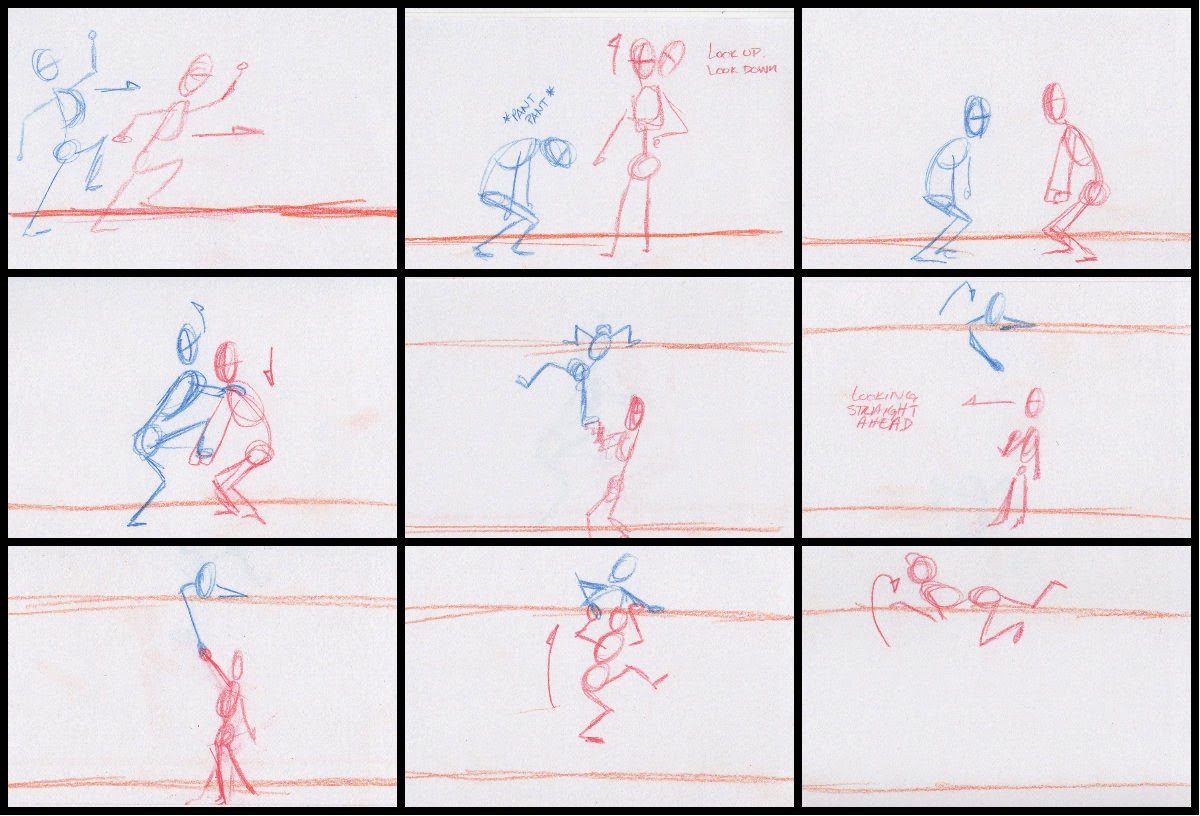
The aim of this personal project was to work on a few animation elements that I felt I needed to strengthen. The major points I wanted to touch upon was physical interaction between two characters, pushing and pulling, to expand upon adding more emotion and action to make a scene more believable, and to be a little more adventurous with camera angles outside of just setting shots plainly.

Girl and guy run in, looking to escape from something, and end up at a dead end. Guy thinks quickly and offers to give the girl a hand to climb over the wall. After girl goes over the wall, the guy keeps watch before the girl reappears again and offers a hand for the guy to come over the wall, as well.

Project Background:

This project has been worked on intermittently for the past year (nearly) and completed a few weeks ago, so bear with me as I recall my inspiration. The initial inspiration was an article I read online about a game company issuing a “test” where a character went from point A to point B in eight seconds. The examples featured included dynamic shots. It kinda nudged me into thinking about breaking my comfort zone in terms of more complex motions and try to use different camera shots in practice.

Project Process:

I filmed a bit of reference video. At least to the extent of one person can on their own and with no high walls that wouldn’t make me look like I was trying to scale a wall to commit burglary. At least I had some sort of gist to work with. If there was a question about balance of the body, I did my best trying to quasi-reenact the pose against the wall and try to figure out what is the most human reaction to the movement I wanted. Animation was done in Maya.

This project was also the first time I had experience using Maya Sun and Sky as lighting.

Project Postmortem:

This project took an amazing long amount of time to complete. It didn’t help that I tried to record reference material as one person, pretending to be two. Eventually, I figured out that a lot of my movements were wrong via reference (mainly balance of the body and timing for arms and legs) and there was a bit of rework done to correct these mistakes.

On the positive side, this really made me really think about how the action of one person affects another person interacting with them and with objects. For example, the girl puts her foot into the guy’s hands and as he lifts her up, she is exerting some force on the wall, as well, affecting the center of balance on the girl. This project really made me think about the big picture of the actions and even the tinier nuanced actions that would help make this animation be a bit more realistic and believable. At many points I found myself frustrated about posing and actions not looking right, but I am glad I stuck my guns and finished it to a point where I am happy with it.

Writing on Note Cards

Apparently I really, really enjoy writing/drawing on note cards…

Ever since I decided to quasi update my blog with a new design and add a few design odds and ends just to refresh my look, I realized that I had to overhaul the designs on several things: resume and cover letter templates, random fonts that were being used, and most importantly my demo reel.
It’s been a length of time since last I revisited my demo reel. Originally I just wanted to do a quick and easy edit or two and move on. Then I watched it. I was noticing mistakes left, right, and center with a few of my projects! Yikes! In short, I was a bit horrified. I can do better than that! As my wonderful cousin recently heard, and conveyed to me, “If you can’t look at the past and cringe a little, you have not grown.” Which, to me, made a lot of sense as I progress in my skills and I can’t look at old projects and not cringe even a little bit. So there has to be a bit a truth behind it… or at least I would like to think so!

I did have a new project lined up, story boarded out, reference shots recorded, but it’ll be put on a slight hiatus until I improve my demo reel. They are mostly minor tweaks (all written on note cards…) and hopefully that it helps in me having a stronger reel in the end.

Storyboard: Climbing a Drainpipe

Color me optimistic but I’m going to try to trick myself into doing this. I quickly sketched out a storyboard I had in my head for a while and I’m hoping to start on it soon because I think it has potential for good, somewhat comedic, acting.

The idea is that the character (cat burglar?) will climb up a drain pipe and it suddenly snaps off the wall due to weight and tension, and in a bit will slowly creep further away from the wall, inciting fear in the character in a last ditch effort to grab the wall/something on the wall. The drainpipe ultimately falls out of the frame along with the character.

Short and sweet. An exercise in weight + pulling. A bit of anticipation and timing… It will be good.


Maya to UDK

At some point during this crazy career dream I want to be on, I want to be a part of making a movie and be a part of making a video game. Movies and games are a big part of my life and helped me become the geeky person I am today.

While I was in Graduate School, I did take a lot of Game Development classes with the intention of eventually getting a job at a game studio. The downside was that I never learned how to participate as an animator in that setting  One of the things that really interests me is how to make my own character animation and get them into something like UDK. Strangely enough, I think about this whenever I play any MMO game, or any game, for that matter.

After searching, for what seems like ages, I finally found a tutorial (albeit a video tutorial) that answered all my questions on how to go from Maya to UDK. I worked through the tutorial videos, followed along and was excited to put in my new knowledge on a different rig rather than using the one in the tutorial. Alas, all my rigs weren’t using single hierarchy joints. So, for now, I’ll wait until I review the rigging process and then combine the two.

In the meantime, I typed up my notes so they don’t get lost within the pile of notebooks I use. Not exact, but they help me remember key points.

Maya to UDK pdf notes

And I don’t have an image to accompany this. Weird.

Back to Basics: Object Animation

Intro:

This post is about animating non-organic objects: a catapult and a locomotive. This did come from the Introducing Autodesk Maya 2013 book. I didn’t have the fortune to take a class on this.While most object animation seems straight forward, for example, placing the pivot point in the right spot and rotating said object like a door, there are other tools and ways to accomplish what you need.

Process:

First, I tried my hand at animating the catapult using a Bend deformer. Which makes sense because with enough force, like gravity, objects that are seemingly rigid and solid will bend and expel energy to launch things. Some other examples that come to mind are tree branches when they’re pulled back, or even hockey sticks while taking a slap shot (okay, okay… that’s friction using the ice, but you get some wicked bends).

Back to the catapult. Basically, one can attach a deformer to any object. In this case, it is the basket and the beam, which were all grouped together and the deformer is attached to the group. When it is set up, you can play with the Curvature attribute and key it appropriately. Keying the curvature and rotations of the beam, and later the movement of the base, I was able to create something with plenty of secondary action and believable motion.

Using the Bend Deformer

Later, the chapter goes over how to rig and how to handle multiple wheels and arms and have them all work together all from manipulating one wheel. Long story short, you are connecting (via the Connection Editor) the rotation of the wheels to the rotation of the main wheel you will control, and control alone, which is the middle wheel on one side. Next is to connect the wheel arms. Set up joints, root being at the middle wheel, tip up front. To keep the arm in place, an IK Handle is used. And then to connect that arm to the pump arm, you use a Point Constraint. Lather, rinse, repeat for the other arm on that side, but reverse in terms of joints and IK Handle. Repeat for the other side.


Conclusion:

Ultimately, I got it to work. I can manipulate the wheels and arms using only that middle wheel. Unfortunately, I refused to make an animated sequence out of it because one minor thing stopped me: the two arms run into each other and pass through each other. I’m pretty sure they aren’t supposed to do that. I would not be surprised if the model itself is a little inaccurate. I guess I will have to, one day, trek to a rail yard and scope how the arms attach. Or look at pictures. I prefer the real thing, though.

I’m… alive?

Wow, blog… long time, no see! It has been a whirlwind of adventures since last I checked in!

The later half of 2013 had been a busy time at my part time job which, I am sad to say, no longer exists. But I do have to say that working at a small toy store brought out my fun side quite well and has shown me the best and worst of sociological trends in parenting and how adults treat children. Which is a topic for another day….

Anyway, in my off time, I have been trying to maintain, even improving, on my animation skills. I found a few lists online suggesting what kind of actions an animator should work on. I compiled them and started to mix and match actions and scenarios, working on several at a time. With this latest exercise, I went with standing up, sitting down, and changing emotions.

It was an interesting exercise. Something new, something challenging. I will definitely partake in more of these.

In the lines of doing more of things, I’m hoping that this year I can expand and solidify my knowledge on processes within the animation pipeline that I did not get a chance to fully explore like texturing and modeling… things I should know how to do and do them pretty well.

And with that, I leave with a reworked demo reel because deep down… I still want to do animation and I am going to still persist in my life quest.

Website 2.0 & Quadruped Animation

This is my triumphant return to doing stuff on the computer! Yay!

Recovery is slow from my eye surgery but when I first could deal with sitting at the computer, I jumped on the chance to start planning for projects and get together all that needs to be done. First, I decided to revamp my website. New graphics, new designs, new layouts, create minor adjustments and carry all of that across everything else.

Secondly, I decided to try my hand at quadruped animation. Easier said than done! Found it a trifle difficult to find a quadruped rig. I originally wanted to animate a cat, but couldn’t find any free ones. Settled for a 4-legged creature that reminded me of a cat. I figured that I could study a few cat videos and apply their physics, their movements, to the creature.

The whole process was interesting. It was a good challenge between keeping track of so many elements (four legs, hips, “shoulders,” head), remembering to apply weight and counterweight, adding in nuances in timing, making the tail believable, applying anticipation to the jump… You get the idea. There was a lot to keep track of. 
I am actually very content with what I achieved with this creature jumping. Not bad for a first time with a quadruped animated like this.